Back to Projects
Production Platform · AI-Powered QA at Scale

QA Evaluation & AI Coaching System

Scorecards · AI tagging · Live analytics · Coaching insights

A full-stack quality assurance platform that turns call evaluation from a spot-check exercise into a data-driven coaching engine. QA managers build weighted scorecards with sections and sub-sections, configure channels, agents and custom tags, then evaluate manually — or let AI take over. A background job runs every 5 minutes to tag new calls automatically, and uploaded recordings are scored, tagged and coached by AI in a single pass. The result: rich reporting, live analytics, and the ability to scale QA coverage from ~1% of calls to 60%+ across the business.

React C# Web API SQL Server OpenAI Background Jobs Audio Processing Chart.js JWT Auth

From 1% to 60%+ QA Coverage

Traditional QA teams only have capacity to review a tiny fraction of calls manually. By combining AI-driven auto-tagging and full AI evaluations of uploaded recordings, this system increases the reviewable call volume dramatically — surfacing problems the business would otherwise never see.

Scorecards
Per Campaign / Call Type
Channels
Branches / Campaigns
Multi-Tag
Custom Issue Types
5 Min Job
AI Auto-Tagging
Live Analytics
Real-Time Dashboard

Problem, Solution & Outcome

Built to turn call quality from a manual sample into a measurable, coachable asset

The Problem

QA teams could only sample around 1% of calls manually, which meant compliance breaches, weak closings, missed referrals and trends only surfaced after damage was already done. Scorecards lived in spreadsheets, tags didn't exist, and coaching was inconsistent. Management had no centralized way to see who was struggling, on what, and why.

The Solution

A React + C# Web API platform with weighted scorecards (sections, sub-sections, passmarks), channels for branches/campaigns, custom multi-tag issue types, three evaluation modes (manual, automatic AI tagging, AI-evaluated uploaded recordings), and a live analytics dashboard producing structured coaching feedback per call.

The Outcome

Coverage jumped from ~1% to 60%+ of calls reviewed, compliance and closing issues are detected within minutes through automated tagging, management gets daily AI insights, agent skill heatmaps, revenue-risk projections, and a structured pipeline for coaching, training and disciplinary action backed by evidence.

How It's Built

QA managers configure the system once, then it evaluates calls every day

01

Build Scorecards

Create weighted scorecards per campaign or call type — with sections, sub-sections and a passmark.

02

Configure Channels

Set up channels (also called branches or campaigns) so every evaluation is tied to the right operation.

03

Add Users & Agents

QA Agents (evaluators) and Sales / Service Agents (the ones evaluated) are managed separately with roles.

04

Define Tags

Create custom issue types like Compliance, Weak Closing, Empathy. AI uses them to tag calls automatically.

Weighted, Hierarchical Scoring

Every scorecard is built from sections with weights, sub-sections with weights, and a passmark — so the final score reflects what the business actually cares about.

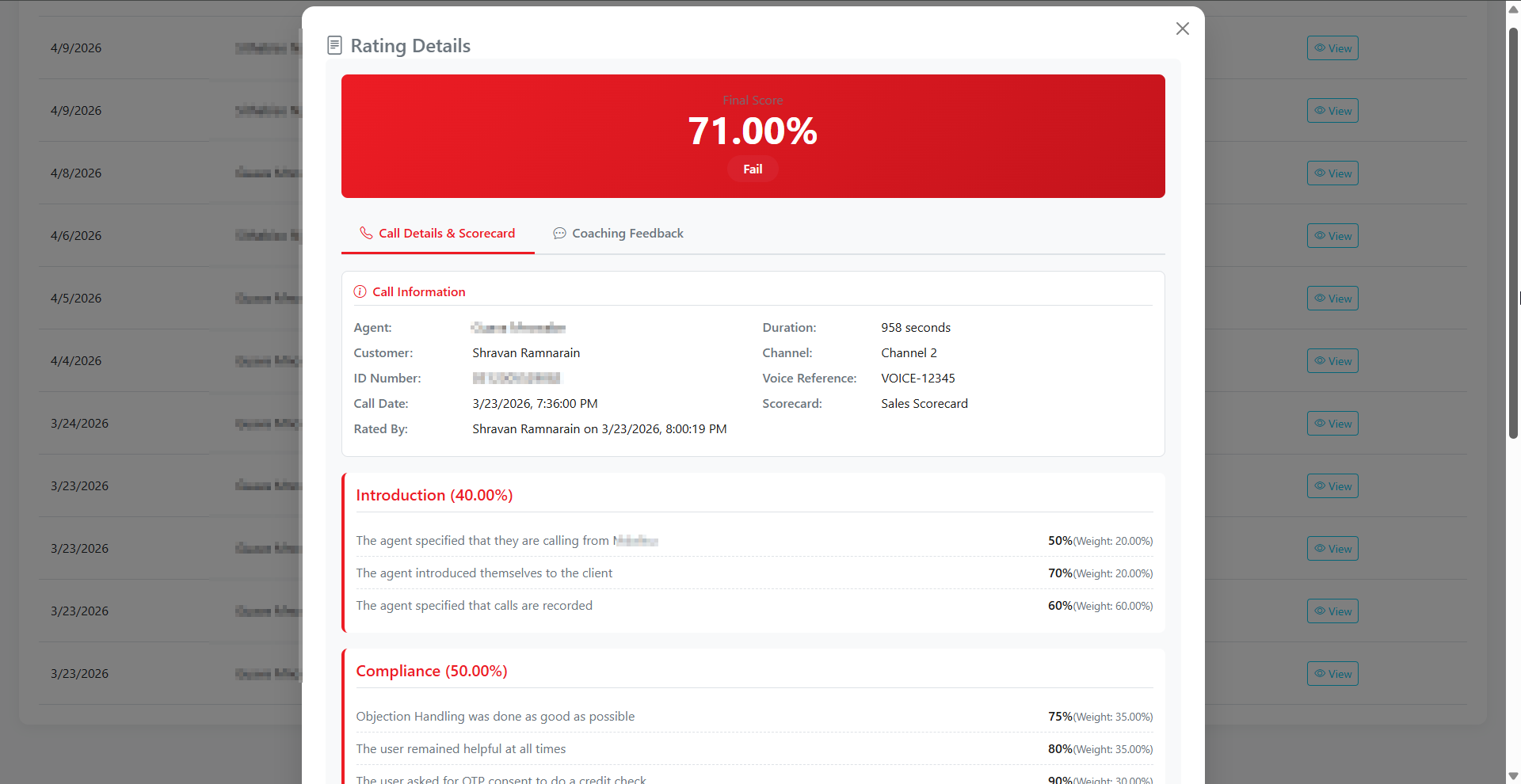
Example: Sales Scorecard

40%

Introduction

Opening, branding, and consent for call recording.

20%

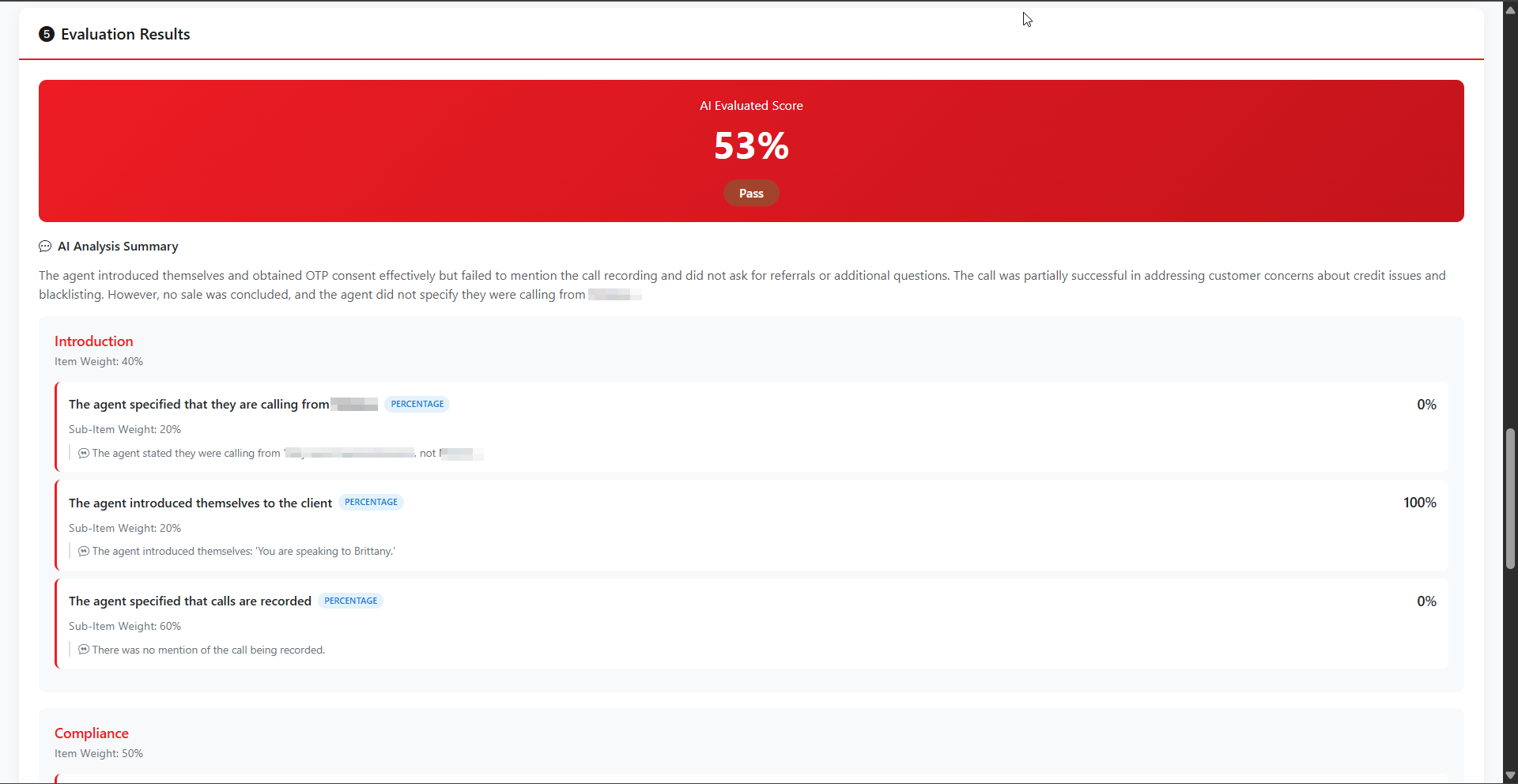
Agent specified they are calling from [Company]

Sub-item evaluated as Percentage (0–100%).

20%

Agent introduced themselves

Sub-item evaluated as Percentage (0–100%).

60%

Agent specified that calls are recorded

Sub-item evaluated as Percentage (0–100%).

50%

Compliance

Objection handling, helpfulness, OTP consent.

10%

Conclusion

Referrals, more questions, closing pleasantries.

PASS ≥50%

Passmark

Configurable per scorecard. Final score = weighted roll-up of all sub-items.

Built for nuance

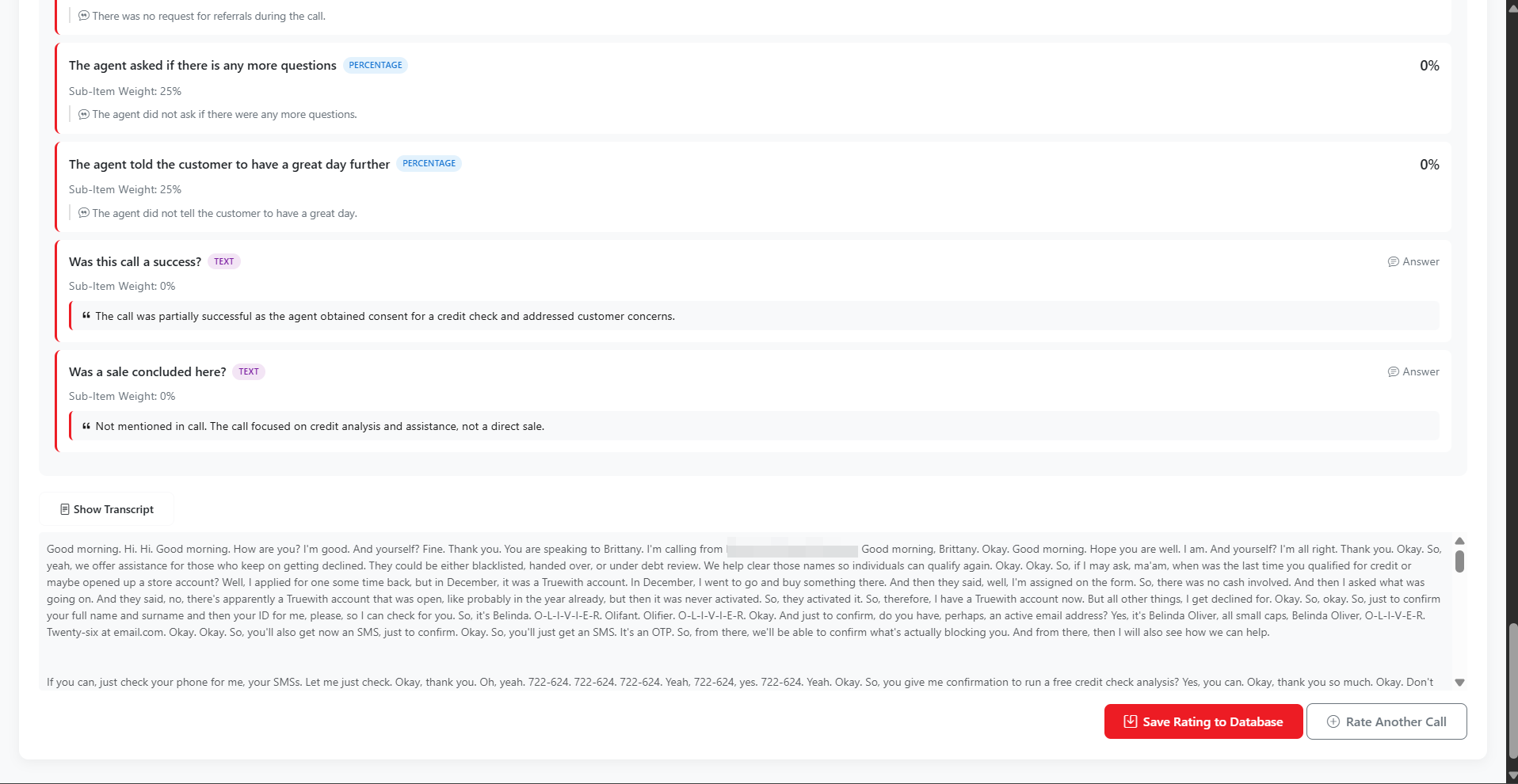
Every line item can be a Percentage (0–100% scored), or a Text question (AI provides a written answer). Sub-items roll up into sections, sections roll up into the final score, and the final score is judged against the scorecard's passmark.

That means a scorecard for collections can be completely different from a scorecard for retention or technical support — every campaign gets the criteria it actually needs.

Manual, Automatic & AI Audio

One platform, three evaluation modes — chosen based on how much of the workflow you want to automate

QA Agent Driven

Manual Evaluation

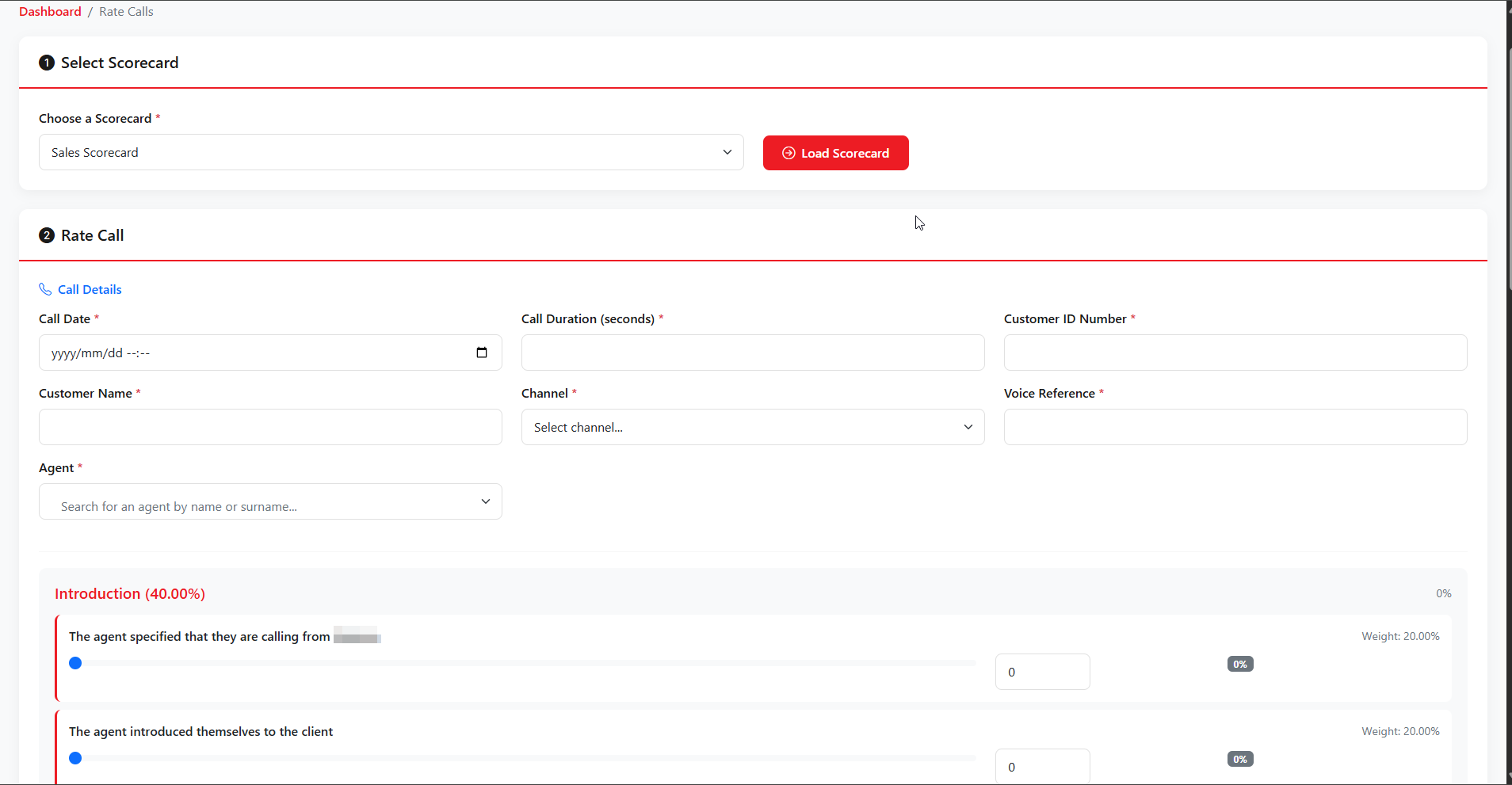
QA agents select a scorecard, fill in call details, score every sub-item and add written feedback. Best for high-stakes calls or training reviews.

  • Pick scorecard & load form
  • Score percentage items 0–100
  • Text answers per criteria
  • Save rating to database
Background Job

Automatic AI Tagging

A scheduled job runs every 5 minutes against newly arrived calls. AI listens, summarizes, and applies the relevant tags so problems surface before anyone manually reviews them.

  • Runs every 5 minutes
  • AI provides insights
  • Multi-tag per call
  • Feeds analytics & heatmaps
AI Audio Engine

Upload & AI Evaluate

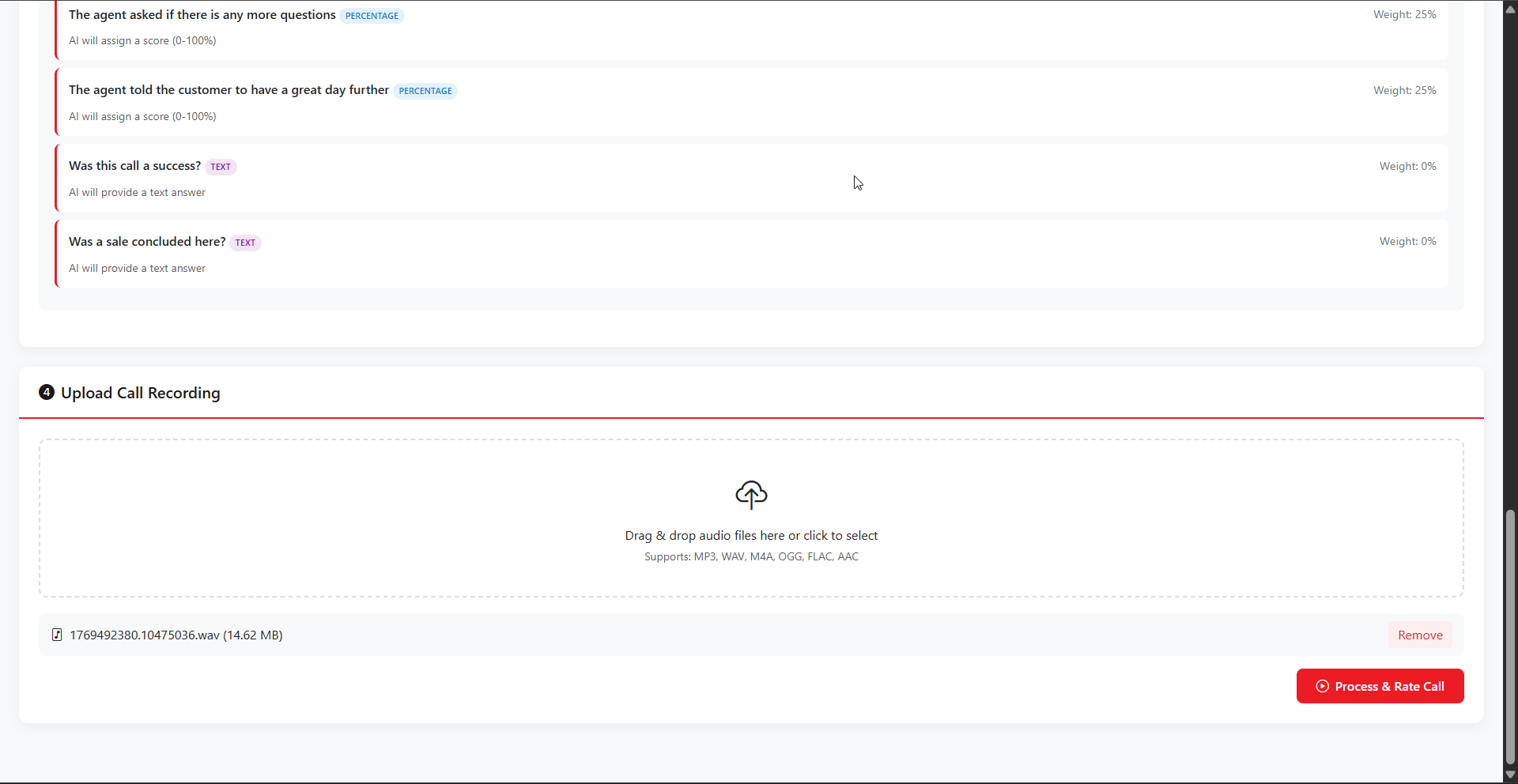
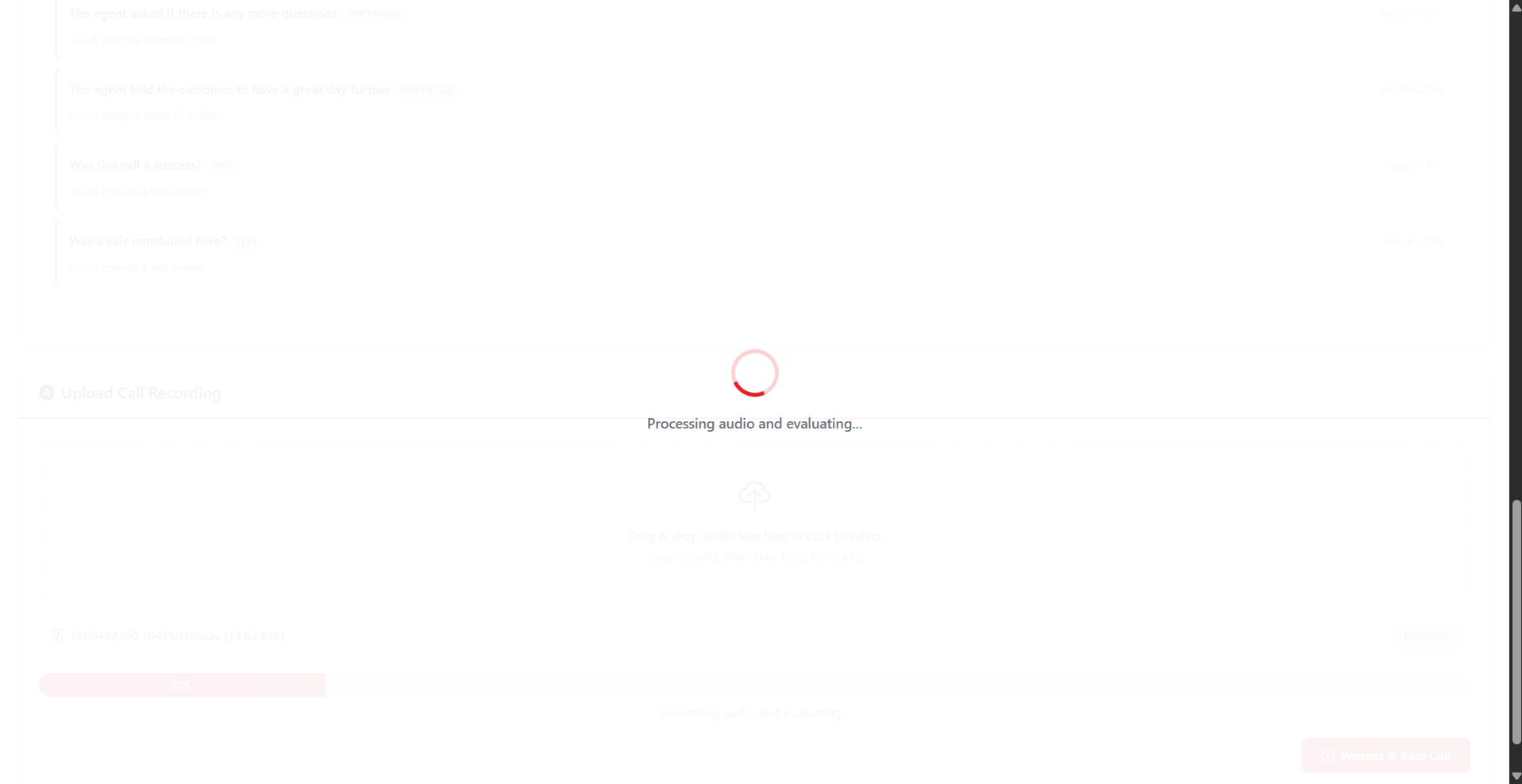
Drag & drop a call recording, pick a scorecard, and AI handles everything: listens, scores each sub-item, tags issues and writes structured coaching feedback for the agent.

  • MP3 / WAV / M4A / OGG / FLAC / AAC
  • Full scorecard auto-scored
  • AI tagging & insights
  • Coaching feedback generated

Custom Multi-Tag Engine

Define what matters to your business, and AI tags every call against it. Each call can carry multiple tags — so trends become impossible to miss.

Examples of business-defined tags

Spin up tags on the fly. Two weeks later, pull a report and you'll see exactly which agents trigger them, how often, and where to coach.

Compliance Issue Script Deviation Weak Objection Handling Weak Closing Low Empathy Missed Upsell Recording Notice Missing No Referrals Asked

Each tag can appear on the same call simultaneously. A single weak call might be tagged Compliance Issue, Weak Closing and Low Empathy at once — feeding the heatmap, common failures, and management insights in one go.

Real-World Example

Business leadership says "we have a compliance problem." Create a Compliance tag.

Two weeks later, pull a report filtered by that tag. You'll see exactly how many calls were flagged, which agents triggered it most, and the pattern across channels.

Coaching, training, or disciplinary action becomes evidence-based — not a hunch.

Built-In Modules

Every feature a QA function actually needs — admin, evaluation, analytics, coaching

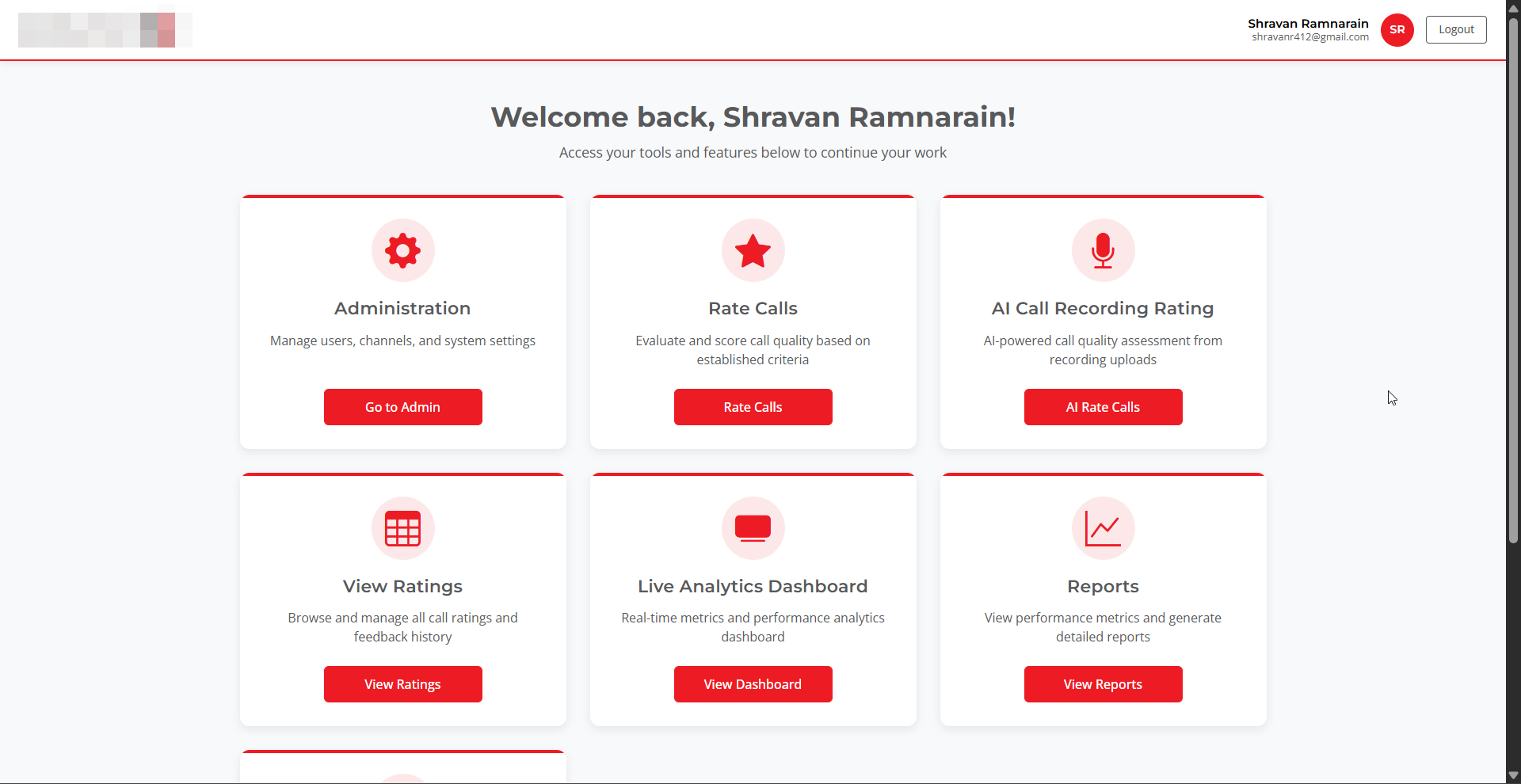
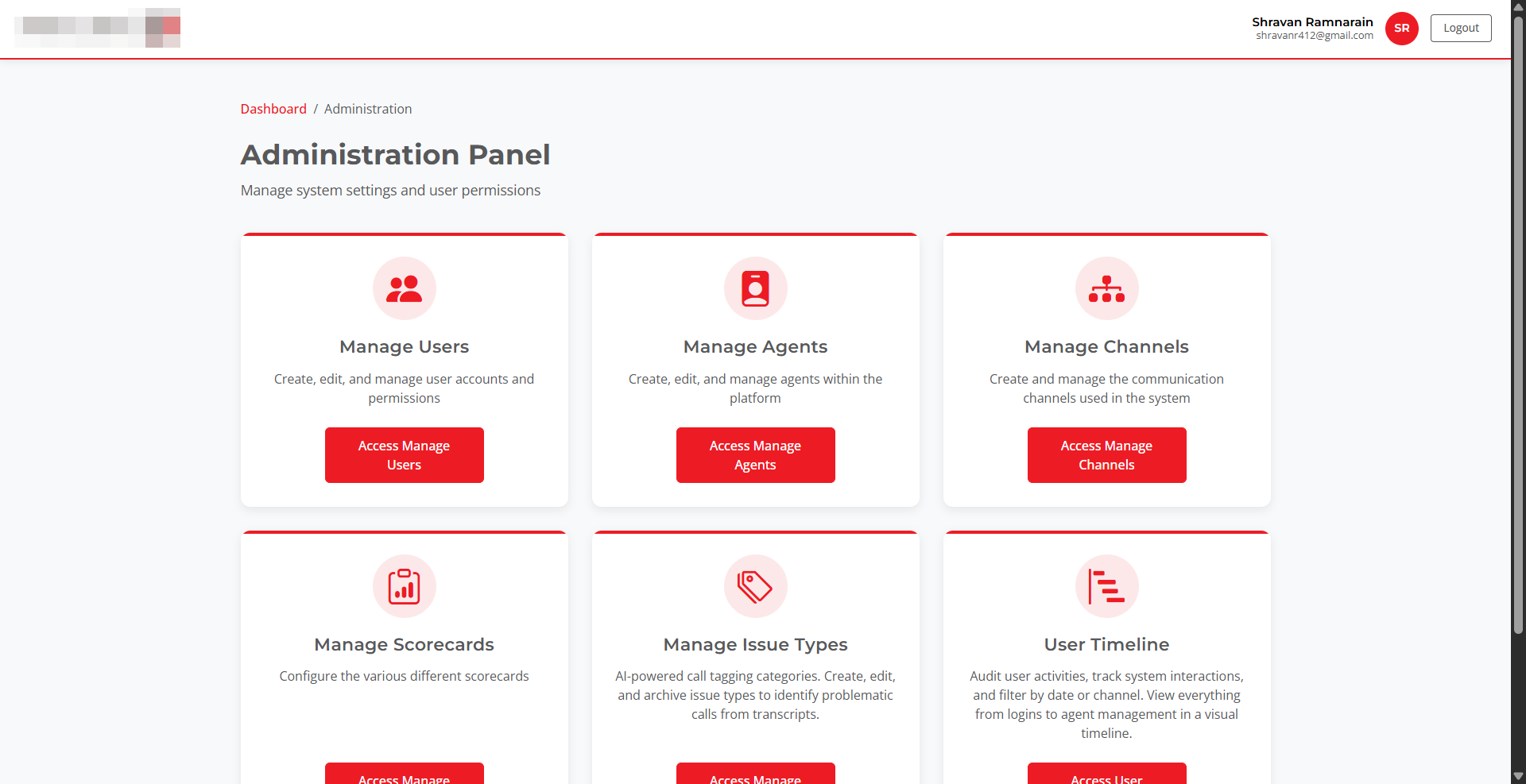
User & Agent Management

Separate management of QA evaluators and the agents being evaluated.

Channels

Branches or campaigns each call is tied to, for clean reporting.

Scorecard Builder

Weighted sections & sub-sections with percentage or text criteria.

Issue Types (Tags)

Create, edit and archive AI-powered tagging categories.

Manual Call Rating

Full form-based evaluation tied to a scorecard and channel.

AI Call Recording Rating

Upload an audio file and get a full scorecard evaluation + insights.

5-Minute Tagging Job

Background worker continuously analyses new calls and applies tags.

Coaching Feedback

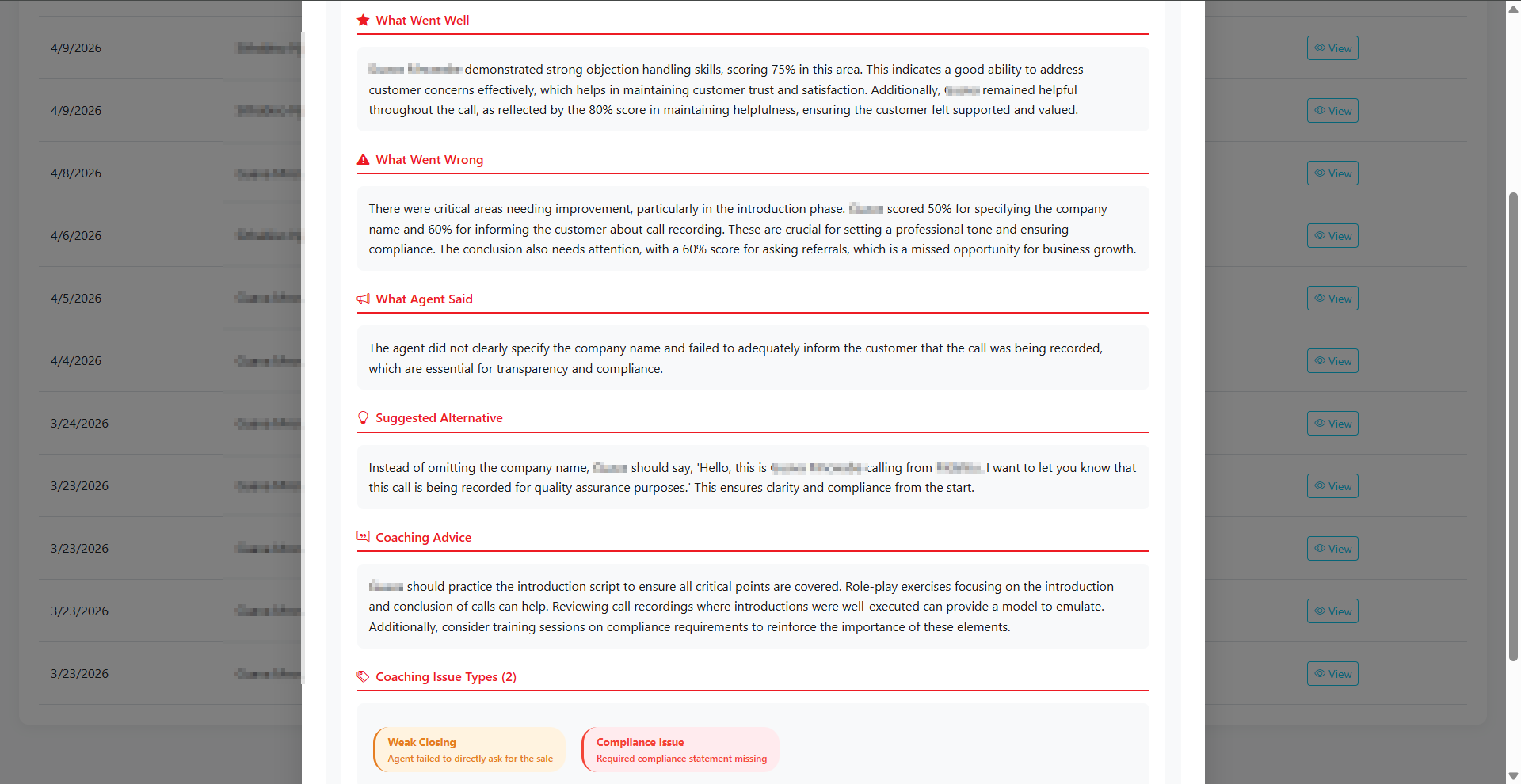
AI produces What Went Well / Wrong, Suggested Alternative & Coaching Advice.

Live Analytics Dashboard

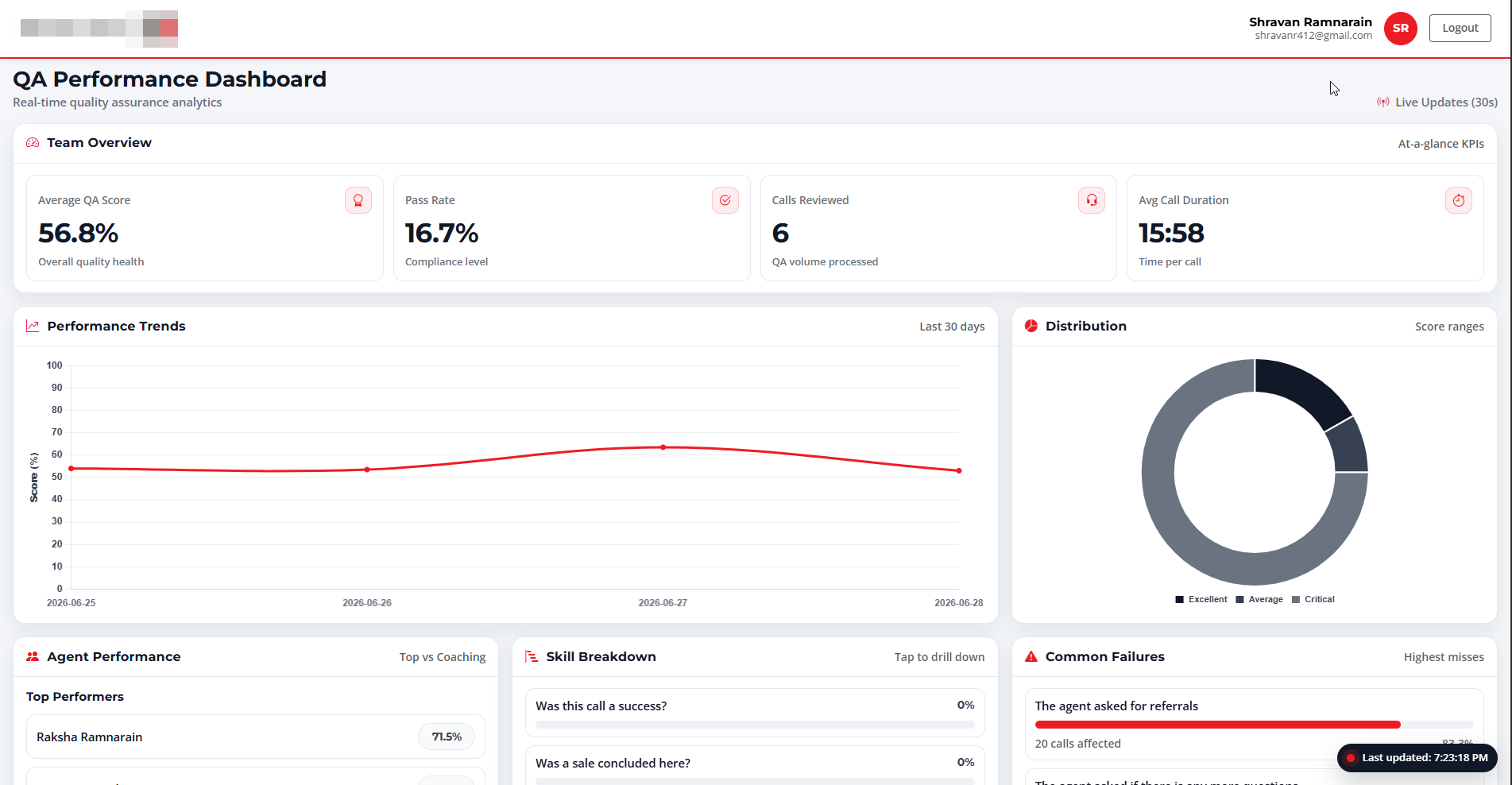
Real-time KPIs, trends, distributions and skill heatmaps.

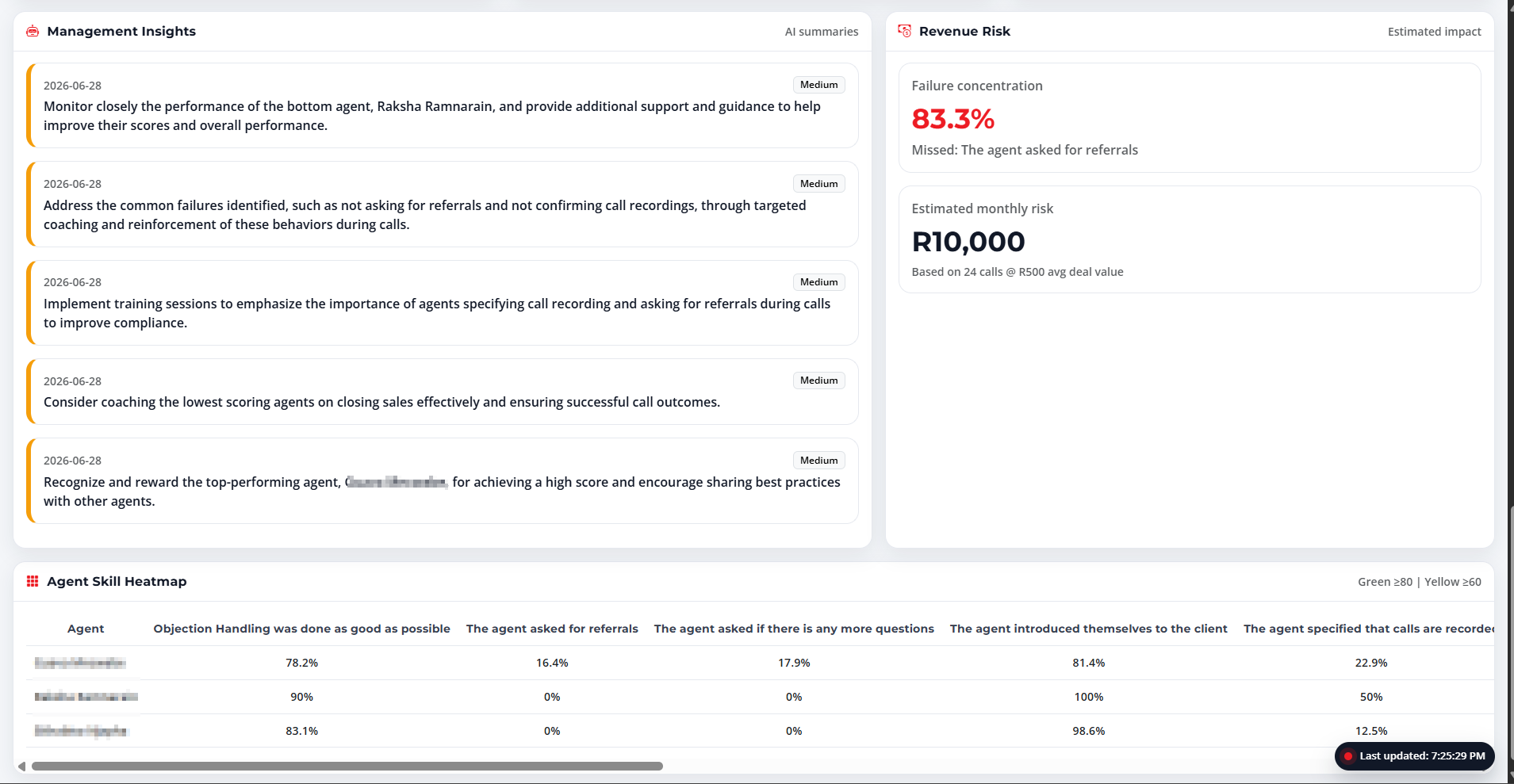
Revenue Risk Modelling

Estimates monthly revenue at risk based on failure concentration.

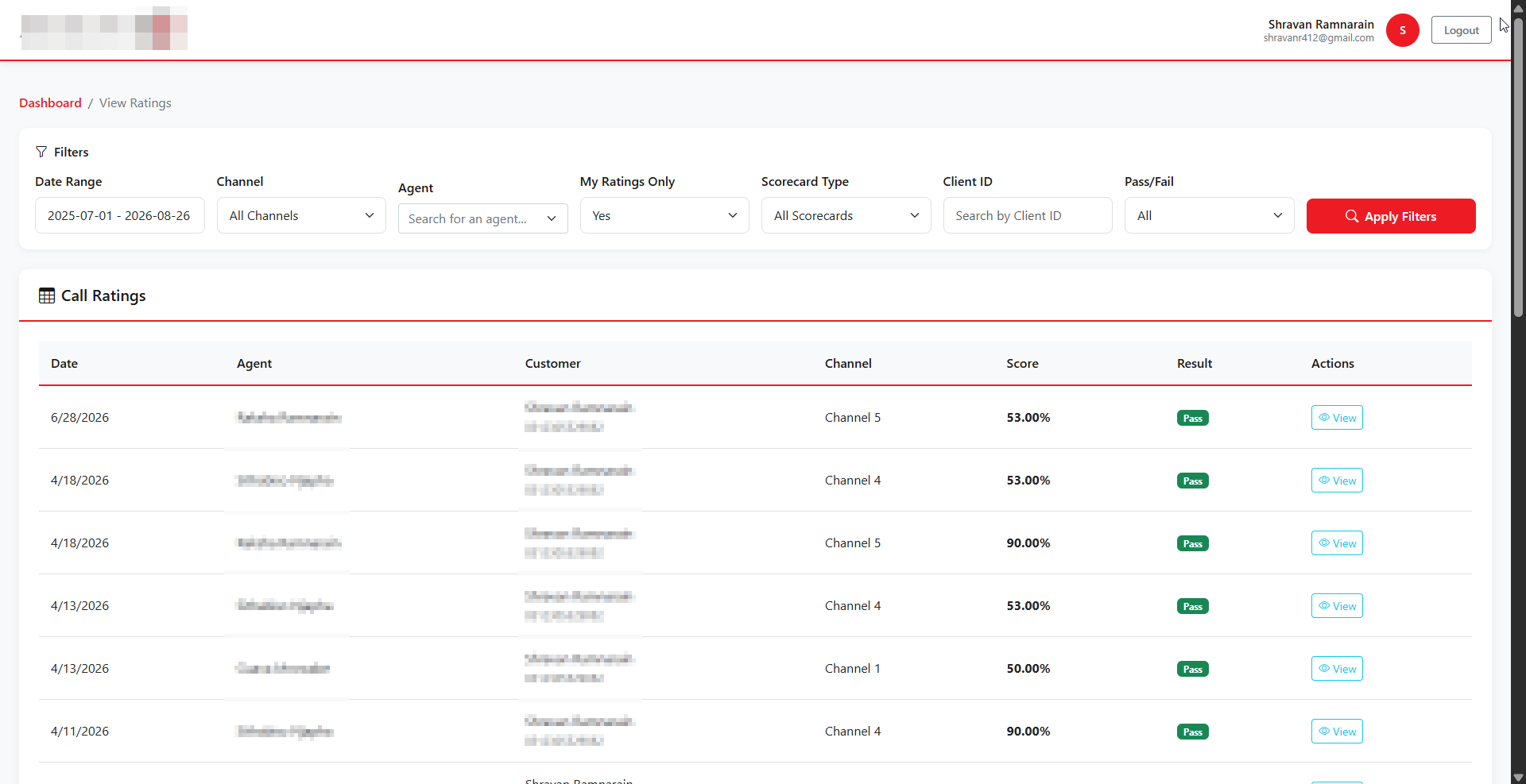
View Ratings & Drill-Down

Filterable ratings list with full drill-down per call and coaching tab.

User Timeline

Audit user activities, logins, agent changes & filter by channel.

60x QA Coverage Increase

By combining manual reviews with continuous AI tagging and on-demand AI audio evaluations, the platform raises reviewed call coverage from ~1% to 60%+ — turning QA into a strategic lever.

Technology Stack

React frontend, C# Web API backend, OpenAI for analysis, scheduled jobs for continuous coverage

Frontend

React JavaScript Chart.js

Backend

C# Web API Scheduled Jobs

AI / Audio

OpenAI Audio Processing Auto-Tagging

Data & Auth

SQL Server JWT Role-Based

Want a QA platform that does the heavy lifting?

If you're scaling a contact centre, sales floor, or service team and your QA is still spreadsheet-driven — there's a much better way.